

DELL VOSTRO 3520 INTEL CORE I7
₦930,000.00
28 people are viewing this right now

Guaranteed safe & secure checkout
Questions
Description
Description
DELL VOSTRO 3520, Intel Core i7, 12th Gen, 512GB SSD, 8GB RAM, FHD, 15.6″, Windows 11 Pro
Maximize your productivity and performance with the DELL VOSTRO 3520 Intel Core i7 laptop. Engineered with a 12th Gen Intel Core i7 processor, this laptop offers top-notch performance for demanding tasks, making it ideal for professionals and power users. With Windows 11 Pro, you get advanced features and security enhancements to keep your workflow efficient and secure.
Key Features:
- Superior Performance: Powered by a 12th Gen Intel Core i7 processor, the Vostro 3520 handles complex tasks with ease, ensuring smooth multitasking and quick processing.
- Ample Storage and Memory: The 512GB SSD provides fast boot times and ample storage space for your files and applications, while 8GB of RAM supports seamless multitasking.
- Full HD Display: The 15.6-inch Full HD (1920×1080) display offers crisp and clear visuals, perfect for work, streaming, and more.
- Windows 11 Pro: Enjoy the latest features and enhanced security with Windows 11 Pro, designed to support your productivity and creative endeavors.
- Stylish and Portable: The Vostro 3520 features a sleek design and lightweight build, making it easy to carry and use on the go.
- Versatile Connectivity: Multiple ports, including USB 3.2, HDMI, and an SD card reader, provide a range of connectivity options for your devices.
- Advanced Security: Features such as a fingerprint reader and TPM 2.0 ensure your data and privacy are well protected.
Specifications:
- Processor: 12th Gen Intel Core i7
- RAM: 8GB DDR4
- Storage: 512GB SSD
- Display: 15.6″ Full HD (1920×1080)
- Operating System: Windows 11 Pro
- Graphics: Integrated Intel UHD Graphics
- Ports: USB 3.2, USB 2.0, HDMI, SD card reader, Audio jack
- Connectivity: Wi-Fi 6, Bluetooth 5.1
- Battery Life: Up to 8 hours
- Weight: 1.85 kg
- Dimensions: 358 x 235 x 18.9 mm
What’s in the Box:
- DELL VOSTRO 3520 Laptop
- Power Adapter
- User Manual
- Warranty Card
Usage Instructions:
- Setup: Follow the on-screen instructions to set up your Vostro 3520. Connect to Wi-Fi and sign in with your Microsoft account.
- Power On/Off: Press the power button to turn on the laptop. Use the Start menu to shut down.
- Charging: Connect the power adapter to the laptop and plug it into a power source to charge the battery.
- Connectivity: Use the available ports to connect external devices and peripherals.
Related products
HP ELITEBOOK 840 G8
₦1,050,000.00
HP VICTUS 15-fa1004nia
₦1,780,000.00
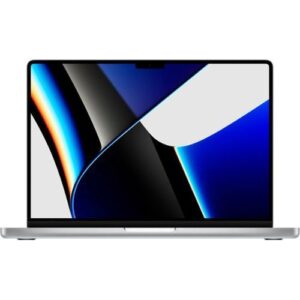
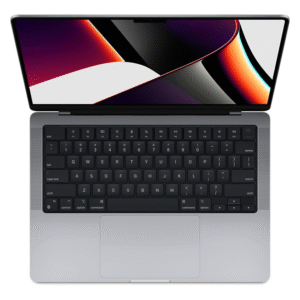
Apple MacBook Pro 2021 M1 16GB RAM 1TB SSD
₦3,200,000.00
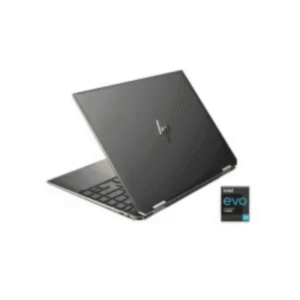
HP SPECTRE X360 14-EA0133NA LAPTOP
₦1,331,000.00


HP VICTUS 16-r0007nia
₦1,970,000.00