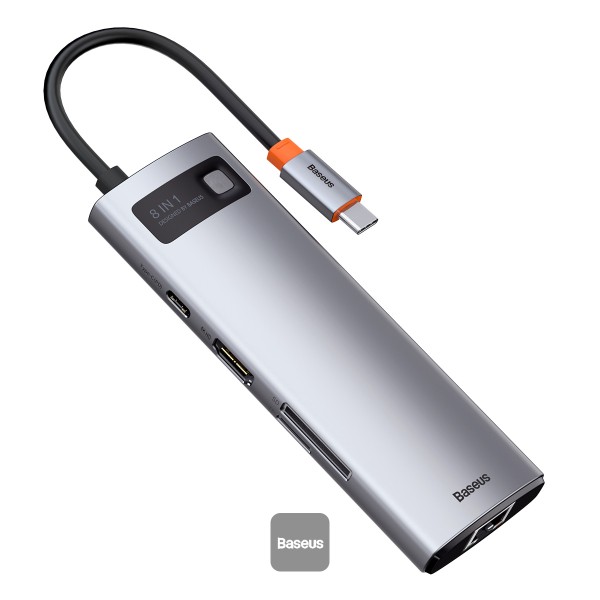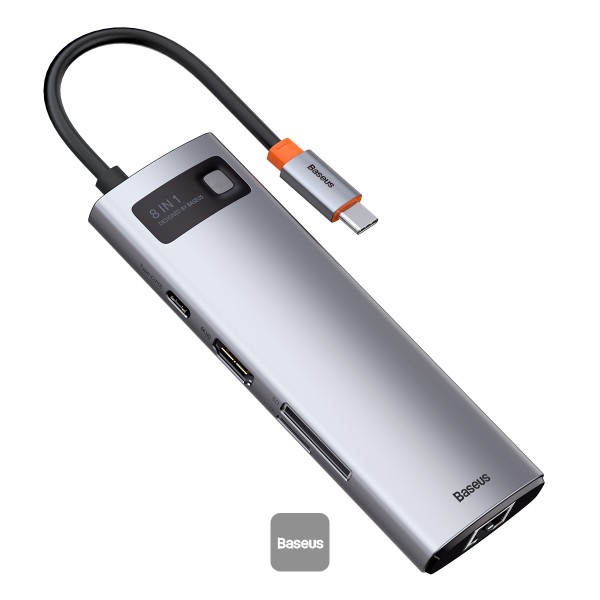
Baseus Metal Gleam Series 8-in-1 Multifunctional Type-C HUB
₦54,300.00
28 people are viewing this right now

Guaranteed safe & secure checkout
Questions
Description
Description
Baseus Metal Gleam Series 8-in-1 Multifunctional Type-C HUB
Upgrade your workspace with the Baseus Metal Gleam Series 8-in-1 Multifunctional Type-C HUB. This sleek and powerful hub transforms a single Type-C port into an array of connectivity options, including HDMI, USB 3.0, SD/TF card slots, and Power Delivery (PD) support. Designed for versatility and efficiency, it’s an essential accessory for any modern setup, whether at home or in the office.
Key Features:
- 8-in-1 Connectivity: Expand a single Type-C port into eight ports, including 1x HDMI, 3x USB 3.0, 1x USB-C PD, 1x SD card slot, 1x TF card slot, and 1x RJ45 Ethernet port.
- 4K HDMI Output: Connect to an external display via the HDMI port, supporting up to 4K resolution for crystal-clear video and audio.
- High-Speed USB 3.0 Ports: Transfer data quickly with three USB 3.0 ports, offering speeds up to 5Gbps for efficient file transfers.
- Power Delivery (PD) Support: The USB-C port supports Power Delivery up to 100W, allowing you to charge your laptop or other PD-enabled devices rapidly.
- SD/TF Card Slots: Easily access and transfer files from your SD and TF cards, perfect for photographers and content creators.
- Gigabit Ethernet Port: Enjoy stable and fast internet connectivity with the RJ45 Ethernet port, supporting speeds up to 1Gbps.
- Durable and Stylish Design: Made from premium aluminum alloy, the hub is both durable and stylish, complementing any workspace.
- Plug-and-Play: No additional drivers or software required. Simply plug it in and start using it immediately.
Specifications:
- Input: Type-C
- Outputs: HDMI, 3x USB 3.0, USB-C PD, SD card slot, TF card slot, RJ45 Ethernet port
- HDMI Resolution: Up to 4K @ 30Hz
- Data Transfer Speed: Up to 5Gbps (USB 3.0)
- Power Delivery: Up to 100W
- Material: Aluminum alloy
- Dimensions: 120 x 50 x 15 mm
- Weight: 150g
- Color: Grey
What’s in the Box:
- Baseus Metal Gleam Series 8-in-1 Multifunctional Type-C HUB
- User Manual
- Warranty Card
Usage Instructions:
- Setup: Connect the Baseus Metal Gleam Series HUB to your device’s Type-C port.
- Connecting Devices: Use the HDMI port for external displays, USB 3.0 ports for peripherals, SD/TF card slots for media, and the RJ45 port for wired internet.
- Charging: Utilize the USB-C PD port to charge your laptop or other PD-enabled devices.